

How to configure SSH Server in Windows mahcine.How to setup ssh server in windows machineSteps to follow

1 – Download and install Freesshd.exe from Click here to download Freesshd

2 – Install with default selection
3 – After installation dbl click Freesshd shortcut on desktop to open and to load openssh server.
4 – Right click on the icon and click setting
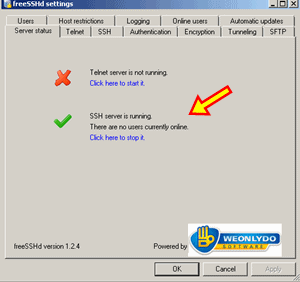
5 – Make sure the ssh server is running
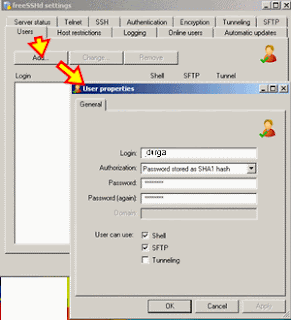
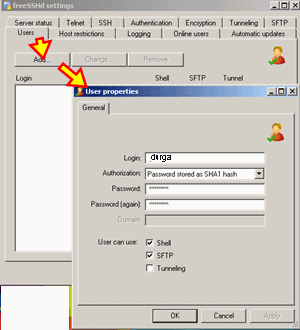
6 – Click on users tab and create an user click add
7 – Access through putty from another computer using IP
8 – Press ‘yes’ on the security alert screen and insert your SSH user name and password that you have just created in freesshd.
9 – If you get a windows command prompt then you have successfully accessed your ssh server
10 – Congratulations
I can reach at : durgacharanojha@yahoo.co.in
